
Why Emails Go to Spam?

Spammy words aren’t the problem. It’s sender reputation, authentication, list quality, complaint rates, and odd sending patterns that usually get emails sent to spam. If your mailbox provider, like Gmail, Outlook, Yahoo, or any other, doesn’t trust the sender, your clean-looking email can end up in spam. The signals that matter most are domain and IP reputation, SPF/DKIM/DMARC authentication, recipient engagement, bounce and complaint rates, and consistency in sending volume.
If your emails suddenly started going to spam, don't rewrite the template first. Check authentication, reputation, list quality, and sending behaviour, in that order.
Key takeaways
-
Spam placement is driven more by reputation, authentication, engagement, and list quality than by individual words in the message.
-
SPF verifies which mail servers are permitted to send messages for a domain. DKIM verifies that the message was not altered by checking a cryptographic signature. DMARC verifies whether SPF or DKIM passed and aligns with the domain displayed in the From address before enforcing the specified policy.
-
Authentication helps build sender trust, but on its own it doesn’t guarantee inbox placement.
-
Sudden volume spikes, high complaint rates and low engagement can all harm deliverability regardless of authentication.
-
If one mailbox provider is affected and others aren't, the cause is usually specific to that provider's signals, not the email itself.
Quick Diagnosis: What To Check First
|
Situation |
Check first |
|
Suddenly going to spam |
Sender reputation and any recent sending changes |
|
New sending platform added |
SPF, DKIM, and DMARC alignment for the sender |
|
Only affects Gmail |
Gmail-specific engagement and complaint signals |
|
High bounce rate |
List quality and acquisition source |
|
High spam complaints |
Consent and list segmentation |
|
After a large campaign |
Volume spike relative to normal sending, plus engagement |
|
After a DNS change |
SPF/DKIM/DMARC propagation and correct record values |
|
Transactional emails affected too |
Shared authentication or sending infrastructure |
Common Reasons Emails Reach Spam
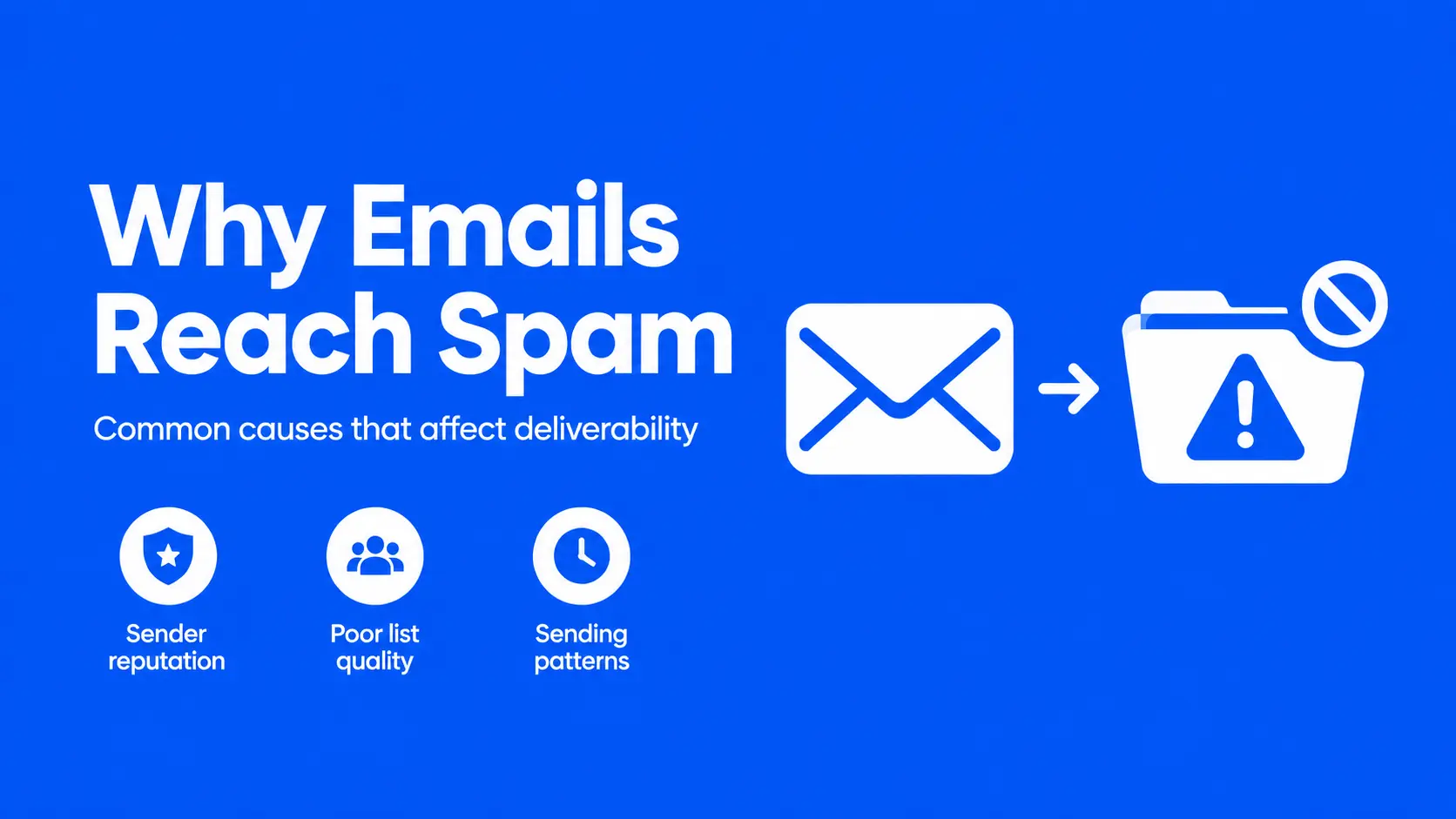
Mailbox providers don't evaluate a single email in isolation. Gmail, Outlook, and Yahoo look at the sender's history, the list being mailed, how people respond, and whether the message can be verified as coming from who it claims to come from. A message can fail on any one of those fronts and still look perfectly normal to a human reader.
Sender Reputation Affects Inbox Placement
Reputation is the score mailbox providers build around a sending domain and IP address over time, based on how recipients have responded to previous mail from that source. It's not tied to one campaign. A domain with a strong sending history gets more benefit of the doubt than a new domain or one with a rocky past, even when both send the exact same message.
This is why two companies can run near-identical campaigns and get different results. One has three years of consistent sending with low complaints; the other switched platforms twice last year and had a spike in bounces after a bad list import. The content isn't the variable. The history is.
Content Signals Can Trigger Spam Filters
Content still matters, just less than most senders assume. Modern spam filters read for patterns that correlate with abuse - excessive urgency language, mismatched links, heavy use of images with little text, formatting that resembles known spam templates. None of these guarantee spam placement on their own, and removing a single trigger word rarely fixes a deliverability problem that's actually rooted in reputation or list quality.
Where content genuinely matters is consistency. A sudden shift in tone, formatting, or sending domain compared to a recipient's past experience with a brand is itself a signal, separate from any individual word choice.
Poor List Quality Increases Spam Complaints
If a meaningful share of recipients don't want the email, no amount of template work fixes that. Purchased lists, scraped addresses, and contacts who never actively opted in tend to produce two outcomes: high bounce rates, because many addresses are invalid or dead, and high complaint rates, because the people who do receive it don't recognise the sender.
Complaints carry more weight than most senders realise. Google's own guidance names 0.3% as an upper limit on spam rate for bulk senders, and recommends staying under 0.1% - thresholds well below what feels alarming when scanning a typical campaign report.
Sending Patterns Can Hurt Deliverability
Volume changes are read as behaviour, not just numbers. A domain that typically sends a few thousand emails a week and suddenly sends several hundred thousand looks, from a filtering standpoint, similar to how compromised accounts or spam operations behave - even when the sender is entirely legitimate. Mailbox providers don't have visibility into intent, only pattern.
The same applies to irregular sending: long gaps followed by bursts, or sending only during promotions and going silent otherwise. Consistency itself functions as a trust signal, independent of content or list quality.
DNS Records Protect Email Deliverability
Do you know what DNS means? DNS doesn't decide where an email lands. It creates records that receiving servers review to establish whether an email is genuinely authorised to come from its claimed domain. That verification step - authentication - is one input into a much larger filtering decision, not the decision itself.
A closer look at the factors that matter:
Your Email ➵ Sending Server ➵ SPF Check ➵ DKIM Check ➵ DMARC Alignment ➵ Sender Reputation ➵ Engagement / Complaints ➵ Mailbox Provider Decision ➵ Inbox or Spam
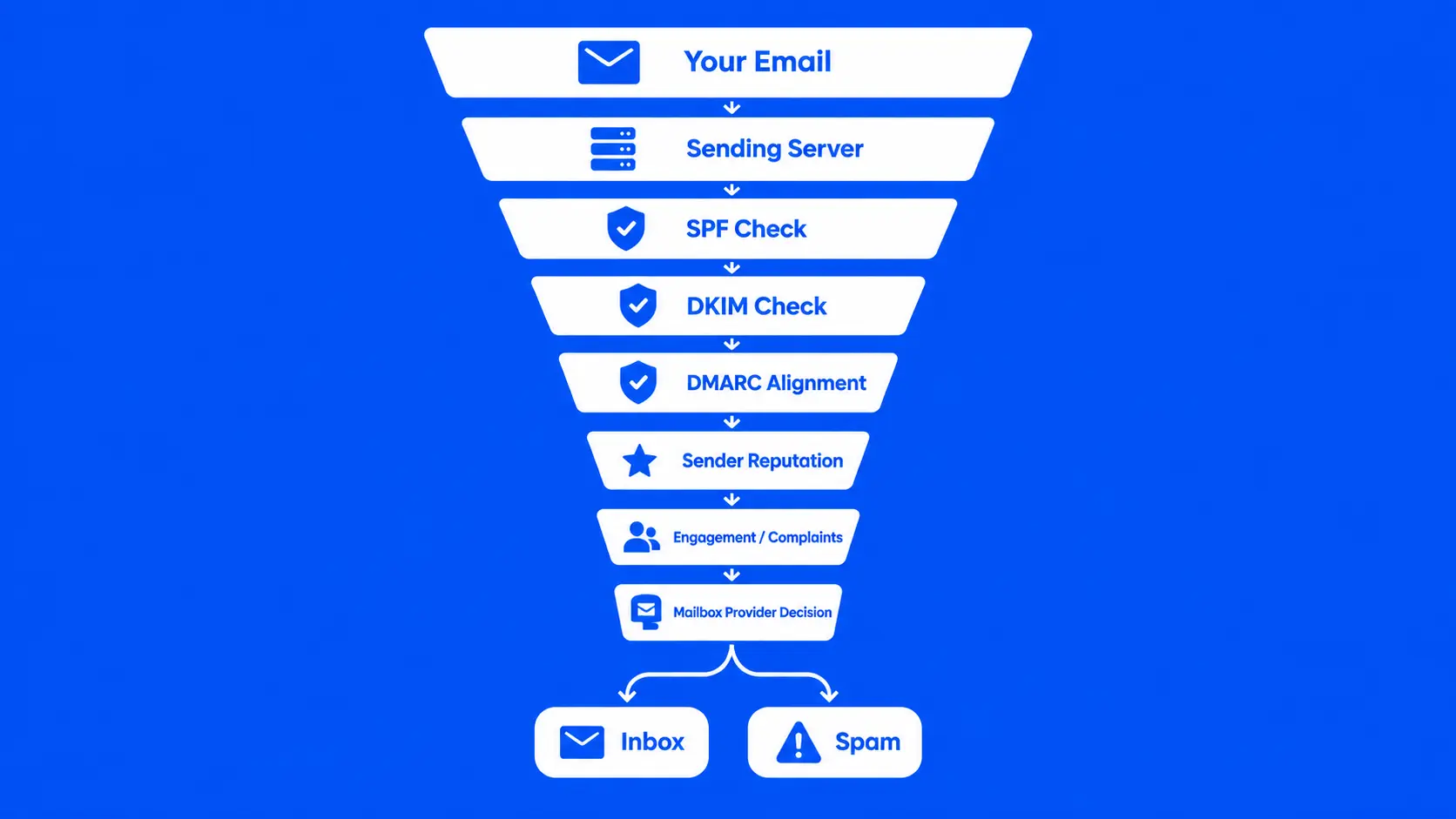
SPF, DKIM, and DMARC. They solve different problems, and none of them substitutes for the other two.
|
Record |
Primary Purpose |
What It Verifies |
Alignment Requirement |
DNS Role |
Failure Consequence |
Common Misunderstanding |
|
SPF |
Lists servers authorised to send for a domain |
The sending IP against an authorised list |
Verified using the envelope sender, rather than the displayed From address. |
Published as a TXT record |
Permerror after 10 lookups; otherwise a soft or hard fail depending on policy |
Treated as proof of legitimacy rather than one authorisation check |
|
DKIM |
Verifies a cryptographic signature |
That the message is tied to the domain and unaltered in transit |
Signing domain must match for DMARC alignment purposes |
Public key added to a TXT record using one selector |
Signature verification fails; message loses that authentication signal |
Assumed to encrypt content, which it doesn't |
|
DMARC |
Sets policy for authentication failures |
Confirms whether SPF or DKIM passes and matches the visible From domain. |
Requires SPF or DKIM to verify the domain used in From. |
Published as a TXT record at _dmarc |
Depends on policy: monitored only, quarantined, or rejected |
Set to reject too early, blocking legitimate but unauthenticated sources |
SPF Verifies Authorised Sending Servers
SPF publishes a list of servers permitted to send mail on a domain's behalf, checked against the envelope sender rather than the visible From address a recipient sees. It's a published authorisation list, not a cryptographic check.
SPF helps establish that a message came from a source the domain owner has actually approved. It doesn't confirm the message wasn't altered, and it doesn't say anything about content or reputation. A domain can have a perfectly valid SPF record and still land in spam because of complaint rates or list quality - SPF answers a narrower question than people often assume.
SPF also has a hard technical limit: no more than 10 DNS lookups per evaluation, defined in RFC 7208, section 4.6.4. Every third-party sending tool added through an include mechanism - a CRM, a support platform, a marketing tool - counts toward that limit. Cross it, and SPF returns a permanent error rather than a clean pass or fail, regardless of whether the sender was actually authorised.
DKIM Confirms Message Authenticity
DKIM works through a public/private key pair. The sending platform signs each outgoing message with a private key; the corresponding public key sits in DNS, published at a selector-specific address. The receiving server retrieves that public key and checks it against the signature.
This confirms two things: that the message is genuinely tied to the signing domain, and that the signed portions weren't altered between sending and receipt. It doesn't encrypt the message, and it doesn't guarantee the content is legitimate - a technically valid DKIM signature can still sit on a message from a domain with a poor sending history.
DKIM problems usually show up after a platform migration. The new platform generates a new key pair with a new selector; if the old DNS record isn't replaced correctly, or the new one is entered with an error, DKIM starts failing even though nothing about the domain itself has changed.
DMARC Controls Authentication And Alignment
DMARC isn't a third authentication method running parallel to SPF and DKIM - it's a policy layer built on top of them. It verifies whether SPF or DKIM succeeded, checks if the result matches the domain shown in the From address, and tells receiving servers how to respond when alignment fails.
Alignment is where many senders slip up. A message may pass SPF through a third-party sending domain, while the visible From address uses another domain. Without alignment, DMARC treats that as a failure even though SPF technically passed.
DMARC policies escalate in three stages: monitor only (p=none), quarantine failing mail (p=quarantine), or reject it outright (p=reject). Moving to enforcement before every legitimate sending source is confirmed passing is one of the more common ways organisations accidentally block their own transactional or marketing mail.
DNS Records Have Practical Tradeoffs
None of these records guarantees inbox placement. For organisations sending meaningful volume, SPF, DKIM, and DMARC are increasingly expected by major mailbox providers and should be treated as core parts of a modern sending setup, not optional extras. Google's email sender guidelines and Yahoo's sender best practices both require SPF ( Sender Policy Framework
), DKIM, and a published DMARC policy for domains sending 5,000 or more messages a day, with additional expectations around unsubscribe handling and complaint rates.
What authentication does provide reliably: a clearer basis for a receiving server to trust the sender's identity, and - through DMARC reporting - visibility into exactly which sending sources are and aren't passing. That reporting data is often more valuable than the authentication pass/fail result itself, because it surfaces problems before they become patterns.
Choosing The Right DNS Parameters
The exact values - the SPF include string, the DKIM selector, the DMARC policy - come from whatever platform is sending the mail. What the domain owner actually controls is where those values get published and how they sit alongside everything else already configured in the domain's DNS.
Set SPF Records Without Overreaching
Only one SPF record belongs to each domain. A second v=spf1 entry - usually added by someone connecting a new tool without checking what already exists - invalidates SPF for the entire domain rather than weakening it gradually. Before adding a new sending source, check the existing record first.
Authorization should also match actual sending sources, not be broadened for convenience. Every third-party include adds to the 10-lookup ceiling, so unnecessary or outdated includes are worth removing rather than leaving in place indefinitely.
Choose Appropriate DKIM Key Settings
DKIM key length and selector format are determined by the sending platform, not chosen freely by the domain owner. The practical task is publishing exactly what the platform provides, at the exact selector specified, and confirming it matches after any platform change. Google recommends a minimum key length of 1024 bits, with 2048 bits preferred where the sending platform supports it.
Using provider-supported settings rather than manually generated keys avoids a category of errors that's difficult to diagnose later - a slightly incorrect key value can fail silently rather than producing an obvious error.
Configure DMARC Policies Gradually
Start at p=none. This monitors authentication without blocking anything, while generating aggregate reports that show which sending sources are passing and which aren't. Only after confirming every legitimate source - the email platform, transactional sender, any third-party tool sending on the domain's behalf - is authenticating correctly should the policy move to quarantine, and eventually reject.
Jumping straight to reject on a domain sending through several platforms is a reliable way to block mail that was never properly authenticated in the first place.
Monitor Authentication Before Policy Changes
DMARC reports are one of the clearest ongoing signals available, and they'll surface a new unauthenticated source before it becomes a pattern worth worrying about. Reviewing them isn't a one-time setup task - it's the mechanism that makes it safe to move toward stricter enforcement without breaking legitimate mail in the process.
DNS Setup Costs And Tradeoffs
Authentication itself is usually not the expensive part. Publishing an SPF, DKIM, or DMARC record is typically included in DNS management a business already has.
Understand Free And Paid DNS Options
Most DNS hosts don't charge extra to add a TXT record. Domain registration, DNS hosting, the email marketing platform, and any deliverability consulting brought in at higher volume are the costs that actually vary - and they're separate line items from the authentication records themselves. Confirm current pricing with a registrar or DNS host directly rather than assuming a flat number, since this varies by provider and changes over time.
Compare Features Before Choosing Providers
Where providers differ is in visibility and support: how clearly DMARC reports are presented, whether DNS changes propagate quickly, and how much troubleshooting support is available when something breaks. For a business managing a handful of sending sources, these differences may not matter much. For one managing dozens of subdomains and multiple sending tools, they matter considerably more.
Balance Cost Against Deliverability Needs
A small sender doesn't need managed DNS security services or dedicated deliverability consulting. A business sending high volume across multiple sending sources, or one where deliverability failures carry real revenue impact, often finds that investment pays for itself in avoided problems rather than solved ones.
Consider Security, Performance, and Support
DNS hosting quality also affects resilience - how the provider handles outages, DDoS protection, and query performance. These factors sit outside the SPF/DKIM/DMARC conversation but influence overall reliability, which indirectly affects deliverability if DNS lookups fail or time out during a receiving server's authentication check.
Fix Spam Placement With Testing
When deliverability drops, the instinct is often to change the email. The more useful first step is figuring out which part of the sending setup is actually responsible.
Test Authentication Before Sending Campaigns
Before scaling a campaign, confirm SPF, DKIM, and DMARC are all passing for the sending source in question. Most email platforms show a basic pass/fail status for a connected sending domain - that's the fastest starting point. When something fails, a DNS lookup tool that pulls the raw published record directly is usually faster than interpreting a dashboard error message.
It's also worth checking whether a deliverability problem affects every mailbox provider or just one. If Gmail is routing messages to spam while Outlook delivers normally, the issue likely isn't the email itself - different providers weight authentication, reputation, and engagement signals differently, and a provider-specific problem needs a provider-specific investigation rather than a wholesale content rewrite.
Improve Lists And Sending Practices
If a large share of recipients never opens, never engages, or never wanted the email in the first place, no template change addresses that. Removing inactive contacts, verifying that addresses came from genuine opt-in, and pausing repeated sends to people who consistently don't engage all do more for deliverability than adjusting subject lines.
Monitor Reputation And Delivery Metrics
Bounce rates, complaint rates, and engagement trends are the leading indicators worth watching continuously, not just after a problem appears. A gradual increase in bounces or a decline in engagement can sometimes precede a visible spam placement issue, so catching those trends early is considerably easier than recovering reputation after the fact.
Troubleshoot Persistent Spam Placement Issues
When authentication passes, the list is genuinely opted-in, and content isn't the obvious cause, but mail still consistently lands in spam, reputation becomes one of the main things to investigate - and reputation recovery takes time rather than a single fix. That often means a deliberate period of lower-volume, high-engagement sending to rebuild trust with a specific mailbox provider before scaling back up.
You might remove exclamation marks, cut down the email, replace questionable wording, or test another template at this stage. These tweaks can sometimes improve performance, yet they don't address the fundamentals: authentication, sender reputation, list hygiene, and responsible sending behaviour behind delivery. If those four are already in order, template adjustments won't move the needle much further.
Email Spam Questions Answered
1. Why Do Legitimate Emails Spam?
Ans: Legitimate emails go to spam because mailbox providers weigh sender reputation, authentication status, list quality, and engagement history far more heavily than the content of any single message. A well-written email from a domain with authentication failures, high complaint rates, or a poorly maintained list can still be filtered, regardless of how the message reads.
2. Are My Emails Suddenly Going To Spam Because Of A Recent Change?
Ans: Yes, often. The most common triggers of a sudden drop in deliverability are a new sending platform, DNS edit, a sudden volume increase or list import. Check what changed in the days before the problem started before assuming the cause is unrelated to a recent action.
3. How does DNS affect email deliverability?
Ans: Yes, via authentication – but DNS alone doesn’t control deliverability. SPF, DKIM, and DMARC give receiving servers a stronger basis to trust a sender's identity, which supports filtering decisions. Reputation, engagement, complaint rates, and list quality all factor in independently of whether those records pass.
4. Which DNS Records Does Email Need?
Ans: SPF, DKIM, and DMARC handle outbound authentication and are effectively expected for bulk sending by major mailbox providers. MX records are a separate requirement governing inbound mail - replies, bounces, and unsubscribe confirmations - rather than outbound authentication. A sending domain that expects replies needs working MX records, but an outbound-only sending domain's authentication doesn't depend on them.
5. Does SPF, DKIM, Or DMARC Alone Prevent Spam Placement?
Ans: No. Each supports authentication, which is one input into a filtering decision that also weighs reputation, engagement, complaints, and list quality. A fully authenticated message from a domain with a poor sending history can still be filtered as spam.
6. How Long Does DNS Verification Take?
Ans: Propagation time varies based on the record's TTL setting, DNS caching across resolvers, and the specific provider involved. A change that looks broken ten minutes after publishing may simply not have propagated yet. Lowering TTL before making planned DNS changes, and allowing time to pass before re-testing, avoids mistaking a propagation delay for a configuration error.
7. How Long Will It Take To Restore Sender Reputation?
Ans: There’s no set time period - it is contingent upon how bad the underlying problem is and how consistently sending practices improve thereafter. Reputation typically rebuilds gradually through a period of lower-volume, high-engagement sending rather than through any single fix.
This article covers general email authentication and deliverability principles. Exact configuration values depend on your specific email service provider - always follow your platform's current documentation when publishing DNS records.
Tags: DKIM Record Setup, How DKIM Works, DKIM DNS Record, DKIM Email Authentication, DKIM Selector, DKIM Public Key, DKIM Private Key, DKIM Authentication Failure, Email Deliverability Guide, Complete Email Authentication Guide, SPF DKIM DMARC Guide, Email Spam Prevention Guide, Email Deliverability Troubleshooting Guide, Email DNS Authentication Guide, Sender Reputation Guide, How Email Spam Filters Work
Sources:
-
Google Email Sender Guidelines - support.google.com
-
Google Email Sender Guidelines FAQ - support.google.com
-
Yahoo Sender Best Practices - senders.yahooinc.com
-
RFC 7208 - Sender Policy Framework (SPF) - rfc-editor.org