
How Much Does Email Marketing Cost in 2026?
.webp)
Table Of Contents
- So, how much does email marketing actually cost in 2026?
- Email Marketing Costs Explained Clearly
- Understanding Email Marketing Pricing Models
- Compare Twenty Popular Email Marketing Platforms
- Reducing Your Email Marketing Expenses
- Choosing Your Ideal Marketing Budget
- Which Email Marketing Budget Is Right For You?
- Consclusion
- FAQs
So, how much does email marketing actually cost in 2026?
Most small and mid-sized businesses can get started for anywhere from $0 to a few hundred dollars a month in software costs, depending on their list size, sending volume, and the features they need.
Software is also only one line item. A realistic budget includes design and copywriting time, list management, and - for businesses that want it - agency or freelance support. This guide breaks down every piece of that cost, compares 20 real platforms on current 2026 pricing, and gives you a framework for building a budget that actually fits your business instead of guessing.
Email marketing software costs range from free to roughly $350/month for most small-to-mid-sized businesses, with contact count and sending volume as the two biggest cost drivers. Total program cost - including design, copy, and any outside help - typically runs higher than the software line alone, often by 2–4x for businesses that don't have in-house marketing capacity.
Email Marketing Costs Explained Clearly
The easiest way to understand email marketing costs is to look at two things first: how many contacts you have and how often you send. After that, features such as automation, analytics, and additional users start affecting the price.
Average Pricing Across Different Business Sizes
|
Business Size |
Typical Software Cost |
Typical Total Program Cost (incl. design/labor) |
|
Startup / solo (0–1,000 contacts) |
$0–30/month |
$0–500/month |
|
Small business (1,000–5,000 contacts) |
$15–100/month |
$300–1,500/month |
|
Growing business (5,000–25,000 contacts) |
$70–400/month |
$1,000–4,000/month |
|
Mid-sized business (25,000–100,000 contacts) |
$200–1,000+/month |
$2,500–10,000/month |
|
Enterprise (100,000+ contacts) |
$1,000–4,300+/month |
$10,000+/month |
These are estimated ranges based on current 2026 platform pricing and typical agency/freelance rates - not guarantees. A business sending twice-weekly campaigns to a 10,000-contact list will land differently than one sending monthly to the same size list, even on identical software.
Software costs are the easiest to quantify. Design, content creation, and list management costs vary widely depending on whether you're doing them internally or paying someone. A freelance email designer/copywriter may charge $50–150 per campaign for a simple send, or $500–2,000 for a custom branded template set built once and reused. Full-service email marketing agencies typically charge 2,500–10,000+ per month depending on campaign volume and complexity.
Key Factors Affecting Email Marketing Costs
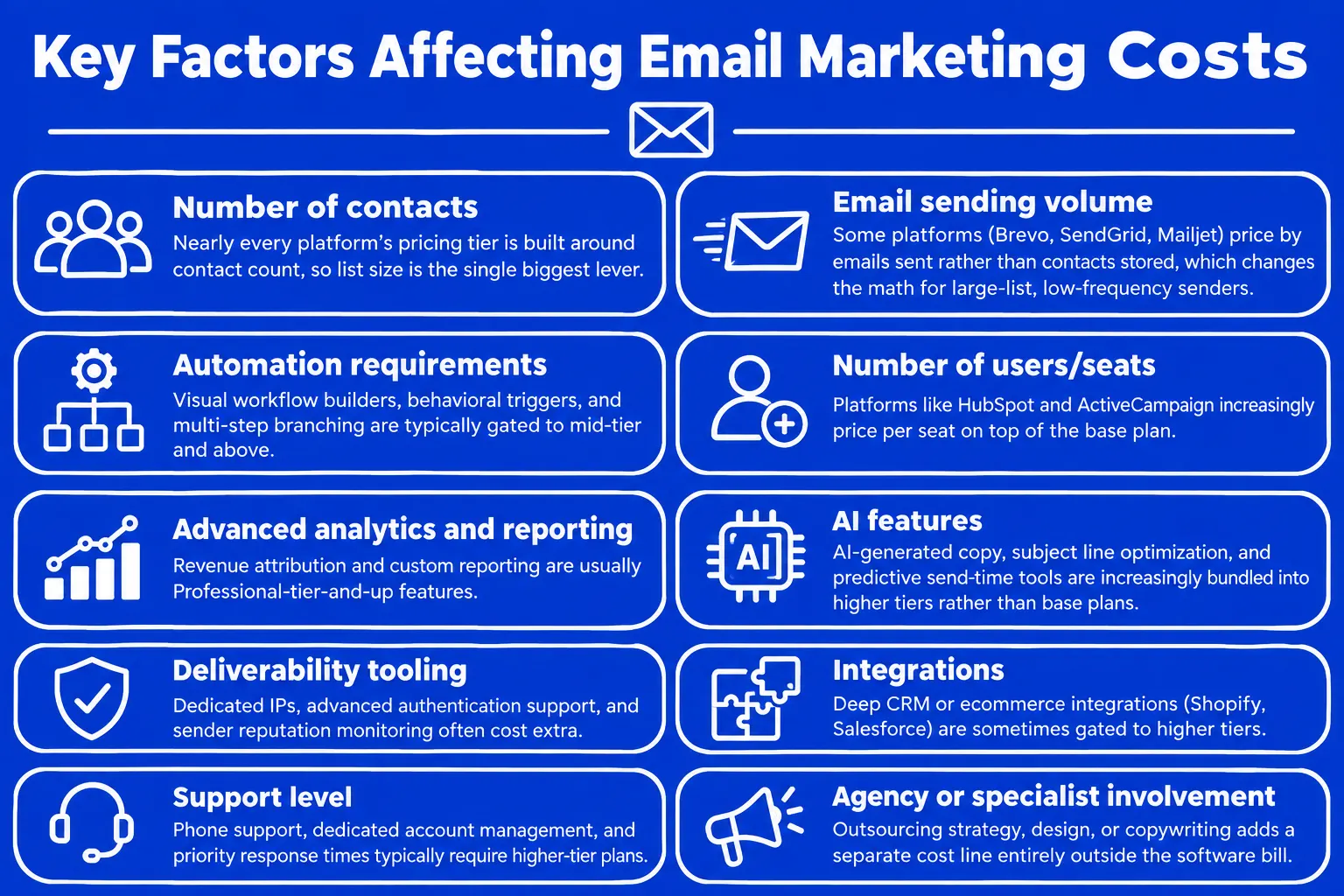
So, where does the money actually go? Here are the biggest cost drivers, roughly in order of impact:
-
Number of contacts - nearly every platform's pricing tier is built around contact count, so list size is the single biggest lever on your bill.
-
Email sending volume - some platforms (Brevo, SendGrid, Mailjet) price by emails sent rather than contacts stored, which changes the math significantly for large-list, low-frequency senders.
-
Automation requirements - visual workflow builders, behavioral triggers, and multi-step branching are typically gated to mid-tier and above.
-
Number of users/seats - platforms like HubSpot and ActiveCampaign increasingly price per seat on top of the base plan.
-
Advanced analytics and reporting - revenue attribution and custom reporting are usually Professional-tier-and-up features.
-
AI features - AI-generated copy, subject line optimization, and predictive send-time tools are increasingly bundled into higher tiers rather than base plans.
-
Deliverability tooling - dedicated IPs, advanced authentication support, and sender reputation monitoring often cost extra.
-
Integrations - deep CRM or ecommerce integrations (Shopify, Salesforce) are sometimes gated to higher tiers.
-
Support level - phone support, dedicated account management, and priority response times typically require higher-tier plans.
-
Agency or specialist involvement - outsourcing strategy, design, or copywriting adds a separate cost line entirely outside the software bill.
Hidden Expenses Businesses Often Overlook
The advertised "starting at" price is almost never the full picture. Costs that catch businesses off guard:
-
Email template design - one-time or ongoing design costs if you're not using built-in templates
-
Copywriting - either in-house time or freelance/agency fees
-
List cleaning and email verification - third-party verification tools often cost extra, though the deliverability payoff is real
-
CRM integrations - some integrations require a higher plan tier or a paid connector
-
Data migration - moving from one platform to another sometimes carries a one-time fee, though several platforms now offer free migration
-
Dedicated IPs - may cost an additional $20–90/month depending on the provider and sending volume
-
Transactional email usage - several platforms bill transactional sends (order confirmations, password resets) separately from marketing sends
-
Agency or freelancer fees - a recurring cost if you're not managing campaigns internally
-
Additional users or seats - a growing number of platforms charge per seat once you're on Professional or Enterprise tiers
-
Overage charges - exceeding your plan's contact or send limit typically triggers per-contact or per-email overage billing
Understanding Email Marketing Pricing Models
Email marketing platforms price primarily in four ways - flat monthly subscriptions based on contact count, pay-per-email/credit systems, contact-based tiers, and feature-based tiers - and the best model depends on whether your list is large-but-infrequent or smaller-but-frequently emailed.
Monthly Subscription Pricing Model Explained
Most platforms - Mailchimp, ActiveCampaign, Klaviyo, HubSpot - use a flat monthly subscription tied to your contact count, with each tier unlocking more features. This model is predictable and easy to budget for, which suits most businesses. The limitation: if your list grows quickly, you can find yourself bumped into a new pricing tier faster than expected, even if your actual email volume hasn't changed.
Pay Per Email Pricing Structure
Platforms like Brevo, SendGrid, and Mailjet price primarily by how many emails you send per month rather than how many contacts you store. This favors businesses with a large list they email infrequently - a 50,000-contact list emailed twice a month can cost meaningfully less on a send-based platform than on a contact-based one. The tradeoff: frequent senders (daily or weekly campaigns, heavy automation) often find send-based pricing more expensive and less predictable than a flat contact-based tier.
Contact Based Pricing Models Compared
Under contact-based pricing, your bill is driven by how many contacts you store - not how many emails you actually send them. This makes list hygiene directly relevant to cost, not just deliverability:
-
Active versus inactive contacts - some platforms only bill for contacts you've actually engaged (Klaviyo's "active profiles" model, introduced in 2025), while others bill for every stored contact regardless of engagement.
-
Duplicate contacts - duplicate entries across lists or audiences can silently inflate your contact count and your bill.
-
Contact list hygiene - removing hard bounces and long-inactive subscribers isn't just a deliverability practice; on contact-based platforms, it directly reduces your monthly cost.
-
Why list size significantly affects total cost - on most contact-based platforms, moving from 1,000 to 10,000 contacts can mean a 3–6x increase in monthly cost, even without a feature-tier upgrade.
Feature Based Pricing Tiers Explained
Beyond contact count, most platforms gate features into Basic, Advanced/Standard, Professional, and Enterprise tiers. Basic tiers typically cover core campaign sending and simple automation. Standard/Advanced tiers add multi-step automation, A/B testing, and better segmentation. Professional and Enterprise tiers add advanced reporting, dedicated support, custom integrations, and (increasingly) AI features.
When paying more is justified: if you're actively running behavior-triggered automation (cart abandonment, lifecycle flows) that drives measurable revenue, the jump to a higher tier is usually worth it. If you're sending a monthly newsletter with no automation, a higher tier is often paying for capability you won't use.
Compare Twenty Popular Email Marketing Platforms
Pricing across the 20 platforms below ranges from free (several offer a genuine free tier) to several thousand dollars a month at enterprise scale, with most small-to-mid-market businesses landing somewhere between $10 and $200/month depending on list size and features needed.
This is where comparing platforms gets interesting. Two tools may look similar at first glance, but their pricing models can make a big difference once your list starts growing.
Top Platform Pricing And Features
All prices below are starting prices as publicly listed in mid-2026 and are shown in USD on monthly billing unless noted. Pricing changes frequently across this category - verify current rates on each platform's official pricing page before budgeting. Where a platform doesn't publicly disclose pricing, that's noted rather than estimated.
| Platform | Starting Price | Pricing Model | Free Plan | Best For |
| 1. Boldinbox | ~$14/mo (1000 contacts)(No email limit tier) | Contact-based tiers | Yes (100 contacts without any email limit) | Growth-focused mid-market businesses prioritizing deliverability and lifecycle automation |
| 2. Mailchimp | ~$13/mo - 500 contacts, 6,000 emails | Contact-based | Yes (250 contacts) | Beginners, small ecommerce |
| 3. Brevo | ~$9–25/mo (varies by source; ~5,000 emails) | Email-volume-based | Yes (300 emails/day) | Budget-conscious, multi-channel (email + SMS) |
| 4. Klaviyo | ~$20/mo (500 contacts) | Active-profile-based | Yes (up to ~500 emails/month ) | Ecommerce, especially Shopify |
| 5. HubSpot Marketing Hub | ~$15–20/seat/mo (1,000 contacts); Pro ~$890/mo | Seat + contact-based | Yes (free CRM) | Businesses already on HubSpot's CRM |
| 6. Constant Contact | ~$12/mo (500 contacts) | Contact-based | No (14-day trial only) | Event-driven businesses, nonprofits, simplicity |
| 7. MailerLite | ~$12/mo (entry tier) | Contact-based | Yes (500 subscribers) | Budget-friendly small business |
| 8. GetResponse | ~$19/mo (1,000 contacts) | Contact-based | Limited free plan | All-in-one (email + webinars + funnels) |
| 9. Campaign Monitor | ~$11.70–13/mo (500 contacts) | Contact-based | No | Design-forward brands, agencies |
| 10. AWeber | ~$15/mo (entry tier, approximate) | Contact-based | Yes (500 subscribers) | Simple autoresponders, phone support |
| 11. Omnisend | ~$16/mo | Contact/email-based | 500 emails/month | Ecommerce SMBs |
| 12. Moosend | ~$9/mo (500 contacts) | Contact-based | No (30-day trial) | Budget automation |
| 13. Kit (formerly ConvertKit) | ~$39/mo (1,000 subscribers) | Subscriber-based | Yes (up to 10,000 subscribers, Newsletter plan) | Creators, newsletter publishers |
| 14. SendGrid (Marketing Campaigns) (Twilio) | ~$15–20/mo | Email-volume-based | Free tier (100 emails/day, transactional) | Developers, combined transactional + marketing |
| 15. Mailjet | ~$9/mo (8,000 emails/month) | Email-volume-based | Yes - 6,000 emails/mo, 200/day | EU/GDPR-focused teams, combined transactional + marketing |
| 16. Drip | ~$39/mo (up to 2,500 people) | Subscriber-based | No (14-day trial) | Ecommerce behavioral automation |
| 17. Benchmark Email | $15/mo - 500 contacts, 7,500 emails/mo | Contact-based | Yes | Budget-conscious small business |
| 18. Sender | $10/mo - 1,000 subscribers, 12,000 emails/mo | Contact-based | Yes | Budget-conscious small business |
| 19. Zoho Campaigns | ~$1.88-3.50/mo (500 contacts) | Contact-based | Yes (2,000 contacts / 6,000 emails) | Businesses already using Zoho's ecosystem |
| 20. ActiveCampaign | ~$15/mo (1,000 contacts; ~20% off annual) | Contact-based | No | CRM-native marketing automation |
A note on accuracy: pricing for Benchmark Email and Sender wasn't consistently verifiable across independent sources at the time of writing - both offer free plans and budget-tier paid pricing, but confirm exact current rates on their official pricing pages. Boldinbox uses custom, quote-based contact tiers rather than publicly listed self-serve pricing.
Major Pros And Cons Compared
- Boldinbox -
Pros: deliverability-focused infrastructure, funnel-mapped automation built in as a core concept, transparent revenue-per-campaign reporting.
Cons: smaller integration marketplace than legacy players; pricing requires a conversation rather than a self-serve checkout. - Mailchimp / Constant Contact / Campaign Monitor (established generalists) -
Pros: accessible, well-documented, strong template libraries.
Cons: automation logic is generally less flexible than automation-first platforms, and costs scale quickly as contact count grows. - Klaviyo / Omnisend / Drip (ecommerce-focused) -
Pros: deep behavioral automation tied to purchase data, strong Shopify/BigCommerce integrations.
Cons: pricing climbs fast at scale, and the depth can be overkill for non-ecommerce use cases. - ActiveCampaign / HubSpot (CRM-native) -
Pros: automation and CRM genuinely combined rather than loosely integrated.
Cons: HubSpot's Professional-tier jump is steep (often 40x+ from Starter), and both are priced for teams that want more than pure email. - MailerLite / Moosend / Zoho Campaigns / Sender (budget-tier) -
Pros: genuinely low entry cost with real feature sets, not stripped-down trials.
Cons: advanced segmentation, reporting, and support tend to be less mature than premium competitors. - Brevo / SendGrid / Mailjet (volume-based) -
Pros: can be dramatically cheaper for large lists emailed infrequently.
Cons: costs become less predictable for high-frequency senders, and marketing/transactional sends are sometimes billed separately. - Kit (ConvertKit) -
Pros: one of the most generous free tiers in the category (10,000 subscribers) for newsletter-first creators.
Cons: paid tiers are pricier per-contact than budget alternatives once you're sending to a large list.
How Pricing Changes With Contacts
Using representative 2026 figures across a range of platforms, here's roughly how monthly cost scales with list size on contact-based platforms:
|
Contacts |
Typical Budget-Tier Platform |
Typical Mid-Market Platform |
Typical Premium/Ecommerce Platform |
|
1,000 |
~$10–20/mo |
~$20–35/mo |
~$45–100/mo |
|
5,000 |
~$40–75/mo |
~$75–130/mo |
~$150–250/mo |
|
10,000 |
~$70–130/mo |
~$130–220/mo |
~$300–450/mo |
|
25,000 |
~$150–250/mo |
~$250–450/mo |
~$650–1,000+/mo |
|
50,000 |
~$250–450/mo |
~$450–800/mo |
~$1,200–2,300+/mo |
These figures are directional estimates built from the platform data above, not a precise calculator - actual cost depends heavily on which specific plan tier and feature set you need at each size, and whether the platform prices by contacts or by send volume. Always confirm against the platform's own pricing calculator for your exact numbers.
Parameters For Choosing The Right Platform
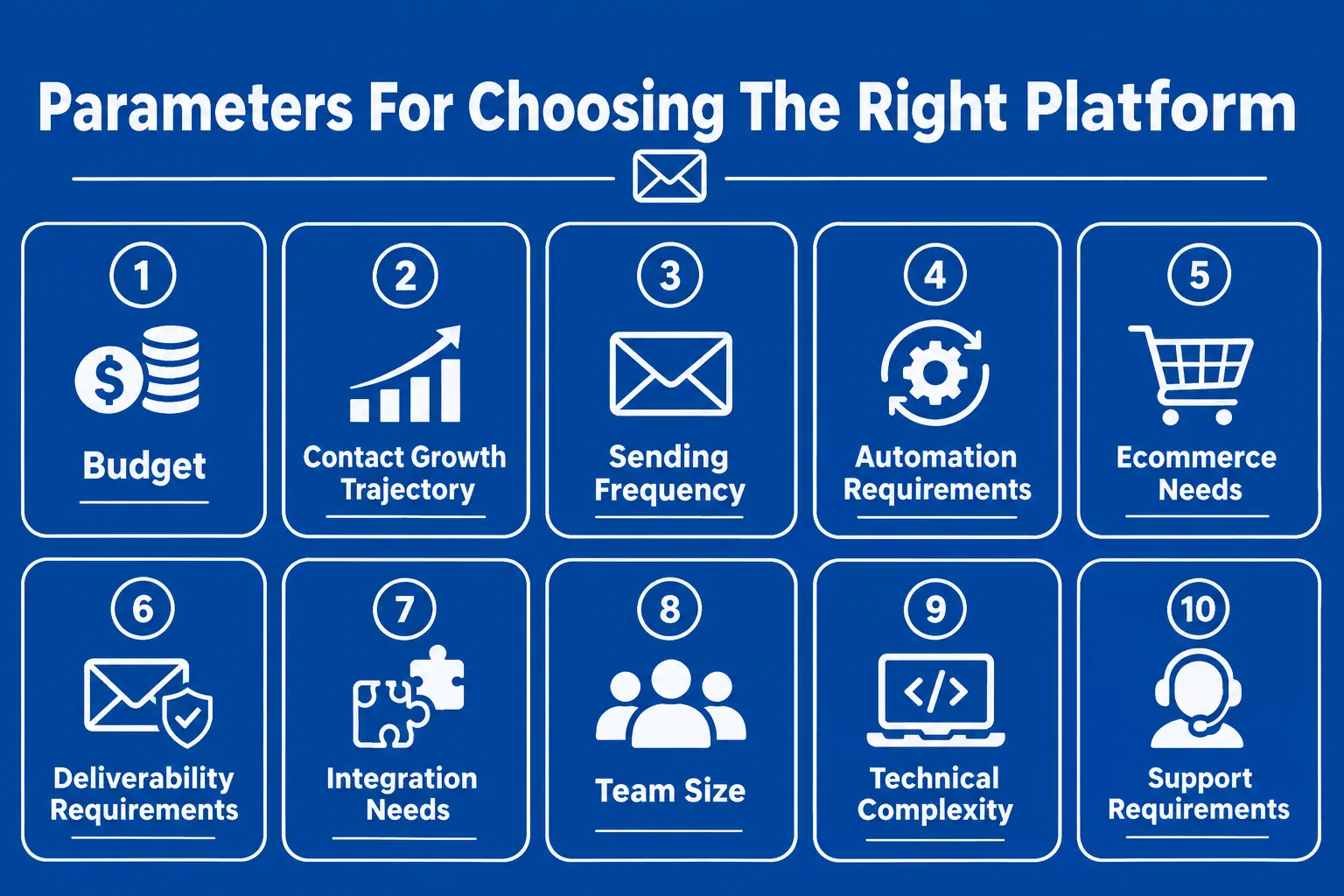
Before you start comparing platforms, it helps to answer a few simple questions about your own business:
-
Budget - what can you commit to monthly without it becoming a stretch if your list grows faster than expected?
-
Contact growth trajectory - where will your list realistically be in 12 months? Price for that, not just today.
-
Sending frequency - high-frequency senders generally do better on contact-based pricing; low-frequency, large-list senders often do better on volume-based pricing.
-
Automation requirements - do you need multi-step behavioral automation now, or will a simple welcome series cover you for a while?
-
Ecommerce needs - if you're ecommerce, prioritize platforms with native store integrations (Klaviyo, Omnisend, Drip) even at a price premium.
-
Deliverability requirements - if inbox placement has been a problem historically, weight this heavily regardless of price.
-
Integration needs - check specifically for your CRM, ecommerce platform, or CDP rather than assuming "integrations" means yours is covered.
-
Team size - per-seat pricing (HubSpot, some ActiveCampaign tiers) changes the math meaningfully for larger teams.
-
Technical complexity - developer-oriented platforms (SendGrid, Mailjet) suit teams comfortable with APIs; visual-builder platforms suit marketers who want to self-serve.
-
Support requirements - phone support and dedicated account management are usually gated to higher tiers; confirm this matters to you before assuming it's included.
Reducing Your Email Marketing Expenses
The fastest ways to reduce email marketing costs are avoiding features you won't use, keeping your contact list clean, and choosing a plan sized for realistic near-term growth rather than aspirational future scale.
Avoid Paying For Unnecessary Features
It's common to select a higher tier for one feature (say, advanced reporting) that ends up barely used. Before upgrading, list the specific features driving the decision and confirm they'll actually be used regularly - not just "nice to have."
Keep Your Contact List Clean
On contact-based pricing, an unclean list is a direct cost, not just a deliverability risk. Regularly removing hard bounces, long-inactive subscribers, and duplicate entries reduces:
-
Platform costs - fewer billable contacts on contact-based pricing
-
Deliverability problems - engagement-based spam filtering rewards a clean, active list
-
Wasted sending costs - on volume-based platforms, you're not paying to email addresses that never engage
Practical recommendation: review your list quarterly, remove hard bounces immediately (most platforms do this automatically), and run a re-engagement campaign before removing long-dormant subscribers rather than cutting them without warning.
Choose Plans Based On Growth
Upgrading too early means paying for capacity and features you're not using yet. Staying too long on a plan you've outgrown means hitting overage charges or automation limitations that cost you in lost revenue, not just dollars. A reasonable approach: choose the plan that fits your list size today plus roughly 20–30% headroom, then reassess at each meaningful growth milestone rather than defaulting to the next tier the moment you're close to a limit.
Choosing Your Ideal Marketing Budget
A sensible email marketing budget should start with your business goals and expected list size - not with whichever pricing page you happen to land on first.
Calculate Costs Based On Business Goals
A simple framework:
-
Estimate your list size at 6 and 12 months out - not just today's number.
-
Decide your campaign frequency - weekly, biweekly, monthly - since this affects whether contact-based or volume-based pricing suits you better.
-
List your automation needs - welcome series, cart abandonment, lead nurture - since these often require a specific tier.
-
Account for internal resources - if you don't have in-house design or copywriting capacity, budget for that separately from the software line.
-
Add a buffer for overages and add-ons - dedicated IPs, extra seats, SMS credits, and email verification tools commonly add 10–30% on top of the base plan price.
Match Features With Available Budget
|
Category |
Examples |
|
Must-have |
Reliable sending, basic segmentation, mobile-responsive templates, authentication (SPF/DKIM/DMARC) support |
|
Nice-to-have |
A/B testing, advanced reporting, landing page builder |
|
Worth paying extra for |
Behavioral automation tied to actual revenue triggers, dedicated deliverability tooling |
|
Often unnecessary (for smaller lists) |
Enterprise-grade custom reporting, dedicated IP (until you're sending real volume), multi-seat permissions structures |
When Higher Costs Deliver Value
A more expensive platform is worth it when the additional cost is offset by measurable gains in:
-
Automation - behavior-triggered flows can outperform one-off campaigns when they're built around meaningful customer actions
-
Revenue attribution - knowing which campaigns actually drove revenue changes how you allocate future spend
-
Ecommerce integrations - native store data enables targeting that generic platforms can't match
-
Better segmentation - more granular targeting improves conversion rates enough to justify the premium for lists with real behavioral data
-
Advanced analytics - visibility into what's actually working prevents wasted spend on underperforming campaign types
-
Deliverability tools - for businesses where inbox placement has been a recurring problem, this alone can justify a platform switch
The right lens is ROI, not sticker price. A $200/month platform that reliably drives $4,000 in monthly revenue is a better deal than a $30/month platform driving $300.
Final Checklist Before Selecting Platforms
Before committing to a plan, confirm:
-
Does the pricing scale reasonably as your list grows, or does it jump sharply at specific tier boundaries?
-
Are all the features you actually need included at the tier you're considering - not just at a higher one?
-
What happens to your bill when contacts grow past your current tier?
-
Are there hidden charges for dedicated IPs, SMS, transactional email, or extra seats?
-
Can inactive or unengaged contacts be excluded from billing?
-
Does the plan realistically support what you'll need in 12 months, not just today?
-
Is the platform genuinely easy for your specific team to use, based on a trial - not just a demo?
Which Email Marketing Budget Is Right For You?
-
Startups: Start on a free or near-free tier (Mailchimp, MailerLite, Zoho Campaigns, or Kit's Newsletter plan) and focus spend on list-building rather than software features you won't use yet.
-
Small businesses: Budget 15–75/month for software, and prioritize a platform with room to add automation as you grow rather than the cheapest possible entry price.
-
Ecommerce stores: Consider Klaviyo, Omnisend, or Drip if native store integrations and behavior-triggered automation are important to your sales strategy.
-
B2B companies: ActiveCampaign or HubSpot generally offer the strongest CRM-native automation for longer sales cycles, with HubSpot making the most sense if you're already on its CRM.
-
Growing SaaS companies: Look for platforms with strong lifecycle and onboarding automation (ActiveCampaign, HubSpot, or a specialist like Boldinbox) rather than defaulting to whichever tool the founding team used first.
-
Large enterprises: Budget for Enterprise-tier pricing (often 1,000–4,300+/month) and factor in onboarding fees, per-seat costs, and dedicated support - these are frequently excluded from headline pricing.
Consclusion
There's no single "right" price for email marketing - the right number is whatever gets your specific list size, sending frequency, and automation needs covered without paying for capability you won't use. Start by mapping your actual requirements against the frameworks above, then compare 2–3 shortlisted platforms directly against your own numbers using their official pricing calculators. The cheapest platform on the pricing page isn't always the cheapest for your business. Once you factor in your actual contact count, sending frequency, automation needs, and deliverability, the numbers can look very different.
FAQs
1. How Much Does Email Marketing Cost?
Ans: Software costs range from free to roughly $350/month for most small businesses, and up to several thousand dollars monthly at enterprise scale. Total program cost - including design, copywriting, and any outside help - is typically higher than the software line alone, since platform pricing only covers the tool, not the work of running campaigns.
2. Is Email Marketing Affordable For Startups?
Ans: Yes - several platforms (Mailchimp, MailerLite, Zoho Campaigns, Kit) offer genuinely usable free tiers for early-stage lists. The most common startup mistake isn't overspending on software; it's neglecting list-building and automation setup early, which means paying for a bigger plan later without the infrastructure to make full use of it.
3. Which Pricing Model Offers Better Value?
Ans: It depends on usage patterns, not a universal answer. Subscription/contact-based pricing suits businesses that send frequently to a moderate list. Send-based pricing (Brevo, SendGrid, Mailjet) suits large lists emailed infrequently. Pay-as-you-go credit systems suit very low-volume or irregular senders who don't want a recurring commitment.
4. How Can Businesses Reduce Email Costs?
Ans: Clean your list regularly to avoid paying for inactive contacts, choose a plan sized for near-term growth rather than aspirational scale, and audit which features you're actually using before renewing at a higher tier. On volume-based platforms specifically, reducing unnecessary send frequency to disengaged segments directly lowers cost.
Tags: Email marketing cost, Email marketing pricing, Email marketing software, Email marketing costs for small businesses, Email marketing services, How much does email marketing cost in 2026, How much does email marketing software cost.
Table Of Contents
- So, how much does email marketing actually cost in 2026?
- Email Marketing Costs Explained Clearly
- Understanding Email Marketing Pricing Models
- Compare Twenty Popular Email Marketing Platforms
- Reducing Your Email Marketing Expenses
- Choosing Your Ideal Marketing Budget
- Which Email Marketing Budget Is Right For You?
- Consclusion
- FAQs